Margin call and stop out explained for brokers
Margin, equity, free margin and margin level in plain language, what happens at a margin call and a stop out, and how a brokerage should set and explain its levels.
 EVO PlatformsRisk & execution7 min read

Every leveraged trading account lives on one number: the margin level. When it is healthy, clients trade freely. When it falls, two mechanisms take over: the margin call, which warns the client, and the stop out, which closes positions before the account goes too deep into the red.
For a brokerage these levels decide how your platform behaves on volatile days, how many support tickets you receive and how much clients trust you. This guide explains both from the broker's side, with a worked example, and shows how they work in the EVO back office.
Key takeaways
- Margin level is equity divided by used margin, times 100%; margin call and stop out are two thresholds on that scale.
- A margin call is a warning to add funds or reduce exposure; a stop out closes positions automatically.
- Leverage, symbols and weekend crypto trading all affect how quickly an account moves from margin call to stop out.
- In EVO, margin call and stop out are set at your levels in the back office and handled automatically, next to leverage per client, spread control and symbol limits.
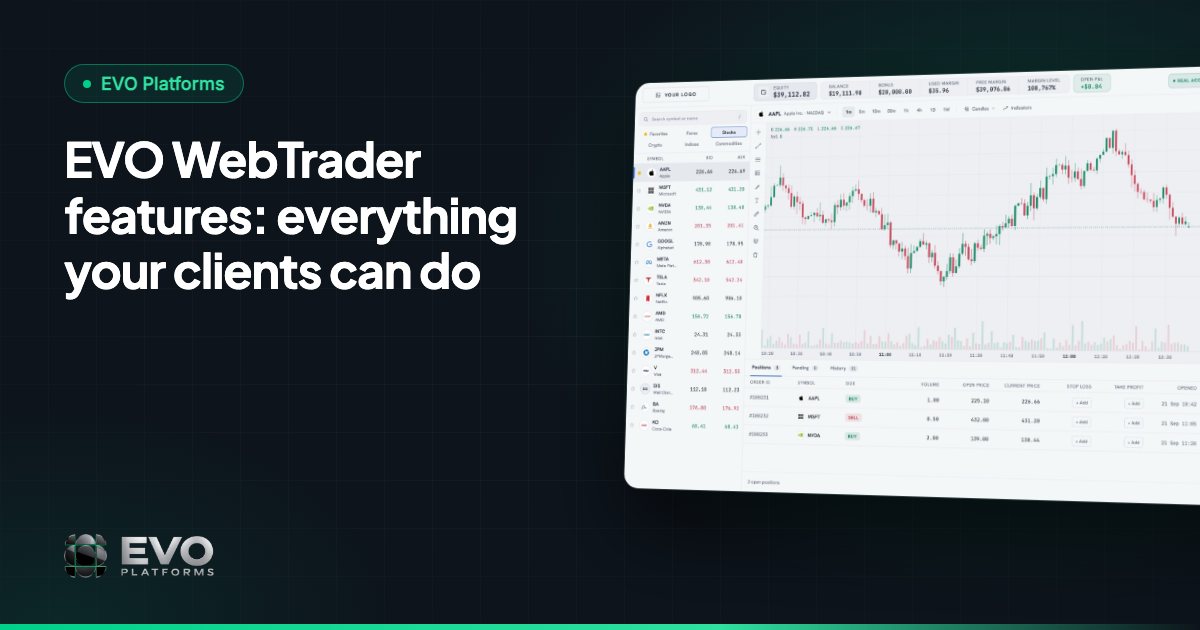
- EVO WebTrader shows balance, equity, margin, free margin and P&L live, so clients can see their margin level at all times.
Margin, equity and free margin: the basics
- Balance: the money in the account from deposits, withdrawals and closed trades. It does not move while positions are open.
- Equity: balance plus or minus the floating profit and loss of open positions. It moves with every tick.
- Margin (used margin): the part of the equity set aside to keep open positions running. It depends on position size, the symbol and the client's leverage.
- Free margin: equity minus used margin. It is what the client still has available to open new positions or absorb losses.
Leverage sets how much margin a position needs. At 1:100, a position needs margin equal to 1% of its value; at 1:50, it needs 2%. Higher leverage means less margin per position, which also means the account can reach its limits faster when the market moves against it.
Margin level: the number that decides everything
Margin level compares equity with used margin and is shown as a percentage:
A margin level of 300% means equity is three times the margin in use. At 100%, equity equals used margin and free margin is zero, so the client cannot open new positions. Below 100%, the account is eating into the margin that keeps its positions open. Margin call and stop out are simply two thresholds on this scale.
| Margin level | What it usually means |
|---|---|
| Well above 100% | Healthy account with free margin to trade |
| At your margin call level | Warning: the client should add funds or reduce positions |
| At your stop-out level | Positions are closed automatically to protect the account |
What a margin call is
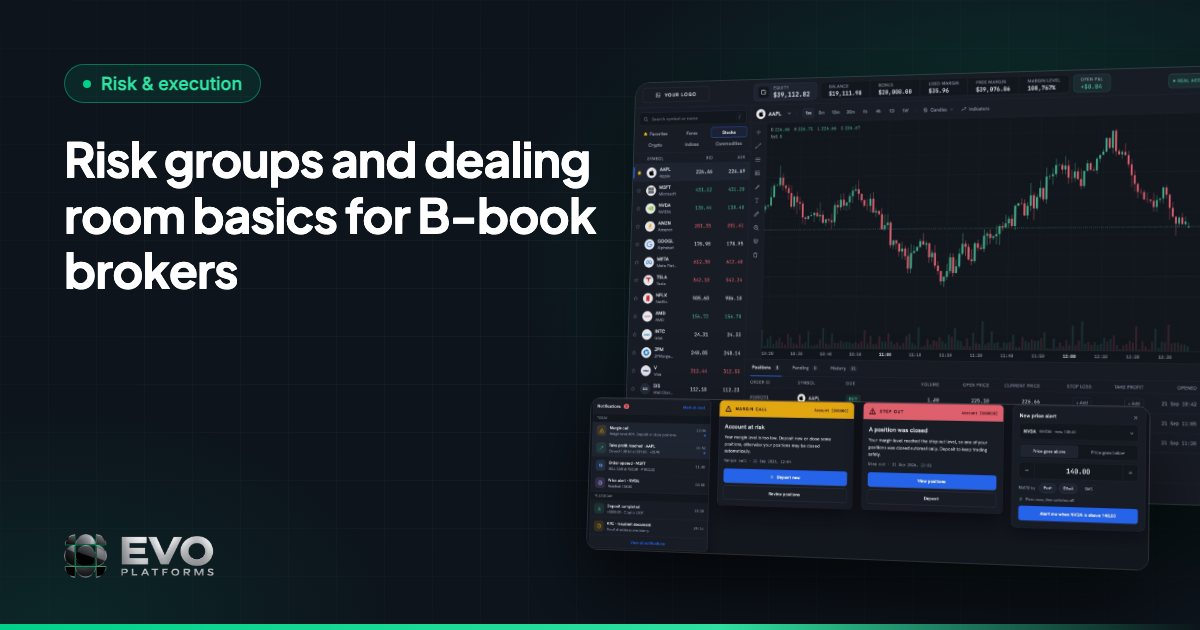
A margin call is a warning. When the margin level falls to the level the broker has set, the platform alerts the client that the account is running low on margin. Nothing is closed yet. The message is: deposit funds, close some positions or reduce exposure, or the account may reach stop out.
Today it is an automatic alert on the platform. For a brokerage, it is also a signal for the retention desk: a client close to stop out may need a call, not just a pop-up.
What a stop out is
A stop out is the action. When the margin level falls to the stop-out level, the platform starts closing the client's open positions automatically until the margin level is back above that level or no positions are left. The purpose is to stop losses from growing beyond what the account can carry.
The order in which positions are closed differs between platforms; many close the position with the largest floating loss first and then re-check the margin level. When comparing platforms, ask each vendor how its stop-out logic works.
Stop out is not the same as a stop loss. A stop loss is a price level the client chooses for one order. A stop out is an account-level protection set by the broker that applies to everything the client has open.
A worked example in percentages
Imagine a brokerage that sets its margin call at 100% and its stop out at 50%. These numbers are for illustration only; each broker chooses its own.
- 1A client opens a 1 lot position on a major forex pair. The position uses margin, and the account starts with a margin level of 400%: equity is four times the margin in use.
- 2The market moves against the position by a number of pips. Floating loss reduces equity, and the margin level drops to 200%. The client can still trade, but free margin has shrunk.
- 3The move continues. Equity now equals used margin, the margin level reaches 100% and the margin call is triggered. The client sees a warning and cannot open new positions with zero free margin.
- 4The client neither deposits nor reduces the position. The margin level falls to 50%, and the stop out closes the position automatically. What remains is the account's equity at that moment.
Choosing your margin call and stop-out levels
There is no single right answer. Your levels should match your clients, your symbols and your leverage. A few questions help:
- How much leverage do you offer? Higher leverage means smaller margin per position, so the gap between margin call and stop out is crossed faster.
- Which symbols do your clients trade? Fast-moving instruments, such as some metals, indices and digital currencies, can move through several levels within seconds.
- Do clients trade at weekends? With 24/7 digital currency feeds, crypto positions keep moving when forex markets are closed.
- How much warning do you want to give? A wider gap between margin call and stop out gives clients and your retention team more time to act.
How EVO handles margin call and stop out
EVO runs execution in-house with built-in risk management. In the back office, which is part of EVO CRM, you set margin call and stop out at your levels, and the platform handles both automatically. They work alongside the other risk controls in the same system:
- Leverage per client, so each client's margin requirement matches the profile you choose.
- Spread control on every symbol and limits per symbol for volume and trading.
- Take profit and stop loss on every order, with full control over client positions.
- Suspended accounts (the client can log in but cannot trade, deposit or withdraw) and disabled accounts (no login at all).
On the client side, EVO WebTrader keeps a live bar with balance, equity, margin, free margin and P&L always in view, so clients can watch their margin level instead of being surprised by it. Prices stream in real time from the price feed, with no delays, across 250+ symbols, and any symbol can be added on request.
Risk groups, for managing clients and risk per group, and a dealing room for your dealers are coming soon. Read more in risk groups and the dealing room.
Explaining margin call and stop out to clients
Most stop-out complaints come from clients who did not understand stop out before it happened. Publish your levels in plain language, show a simple example like the one above and make sure every agent can explain margin call, stop out and stop loss.
EVO can be live in less than 24 hours, in English, Arabic (full RTL) and German, on a dedicated isolated VPS per broker, with 24/7 support on Telegram at @evoplatforms. EVO plans start from $2,500 per month. See pricing or contact us to walk through the risk settings with our team.
Frequently asked questions
What is the difference between a margin call and a stop out?
A margin call is a warning that the margin level has fallen to the broker's set level. A stop out happens at a lower level and closes the client's positions automatically to stop losses from growing.
How is margin level calculated?
Margin level is equity divided by used margin, multiplied by 100%. For example, equity equal to half of the used margin gives a margin level of 50%.
Is a stop out the same as a stop loss?
No. A stop loss is a price the client sets for a single order. A stop out is an account-level protection set by the broker that can close any open position when the margin level reaches the stop-out level.
Can I set my own margin call and stop-out levels in EVO?
Yes. In the EVO back office you set margin call and stop out at your levels, and the platform handles both automatically. Leverage can also be set per client.
This article is for general information only and is not legal, tax or financial advice.
Ready to launch your brokerage?
Trading platform, CRM, back office and price feed — white-label and live in less than 24 hours.