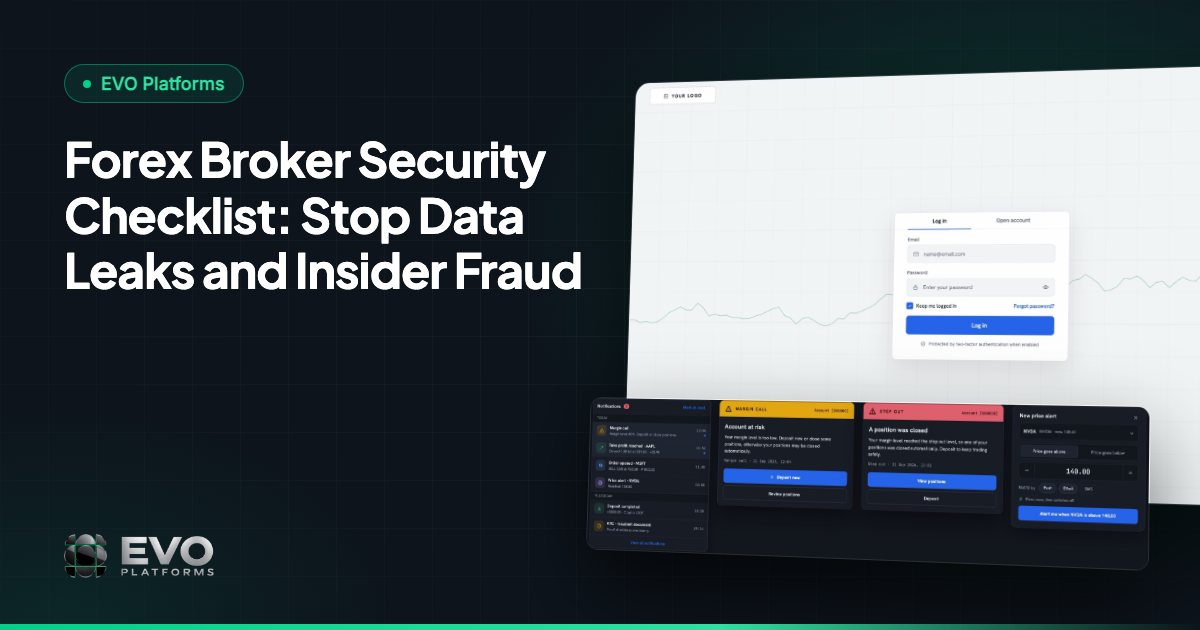
Forex Broker Security Checklist: Stop Data Leaks and Insider Fraud
A practical forex broker security checklist: where leaks really start, what one leak costs, and the controls that stop data theft and insider fraud, with how EVO handles each.
 EVO PlatformsEVO Platforms8 min read
Your best retention agent resigns on a Friday. A week later, your top depositors start getting calls from a competitor who seems to know their balances and their account managers by name. Nobody hacked you. Someone just exported a list.
Forex broker security is mostly about stopping that kind of quiet loss: leaked client data, shared logins and inside changes to accounts that nobody notices until the money is gone. Below is a practical checklist of the controls that matter, what each one protects in dollars, and how EVO's white label platform handles them.
Key takeaways
- Most broker data leaks start inside: shared logins, exported client lists, reused passwords and staff who keep access after leaving.
- An IP whitelist plus OTP / 2FA stops most logins made with stolen or shared passwords.
- One login per person, narrow roles and activity logs that someone actually reads make insider fraud traceable.
- Split money and risk powers, and suspend an account first when something looks wrong.
- EVO gives every broker its own dedicated server, AWS backups, an IP whitelist, activity logs, OTP / 2FA and 24/7 server support.
Where do broker data leaks actually start?
Mostly on the inside. In a brokerage, the usual leak is not a hacker breaking through a firewall but an employee, a shared password or a stolen login doing something the system allowed.
Wider research points the same way. In the 2025 Cost of Insider Risks report by the Ponemon Institute (sponsored by DTEX), 55% of insider incidents came from employee negligence, 25% from malicious or criminal insiders and 20% from credential theft. Verizon's 2025 Data Breach Investigations Report found that credential abuse was one of the two leading ways attackers got in, at 22%, and that third-party involvement in breaches doubled to 30%.
For a broker, those numbers turn into a short list of everyday risks:
- Shared logins: one 'sales' account used by five agents, so nobody is accountable for anything.
- Lead and client exports: an agent downloads the database before moving to a competitor.
- Phished or reused passwords: a CRM password saved in a browser on a home laptop, or reused from a site that was leaked.
- Inside changes to accounts: leverage, spreads or balances edited quietly for a friend or a paying client.
- Former staff who still have access weeks after they left.
What does a data leak cost a brokerage?
More than most owners expect, because a leak hits the clients you already paid to acquire. Your client database is the asset your whole marketing budget built.
| Illustration: one agent leaves with a client export | Amount |
|---|---|
| Funded clients in the export | 400 |
| Share a competitor wins over | 25% (100 clients) |
| Your average net revenue per funded client over their lifetime | $900 |
| Lost future revenue | $90,000 |
| What you paid to acquire those 100 clients (at $300 per FTD) | $30,000 already spent |
FTD means first-time depositor. These figures are illustrations, not market benchmarks, but the shape holds for most brokers: one leak can cost more than several years of platform fees. The controls below cost far less, and most of them take minutes to switch on.
Who can log into your CRM, and from where?
Only named team members, and only from approved locations. Two controls do most of the work here: an IP whitelist and OTP / two-factor authentication (2FA).
- IP whitelist: the CRM accepts logins only from IP addresses you approve, such as your office network. A stolen password used from anywhere else does not get in.
- OTP / 2FA: a one-time code on top of the password, so a phished or reused password alone is not enough.
How to roll out the whitelist without locking out your own team
- 1List the fixed IP addresses of every office before go-live.
- 2Decide which remote staff genuinely need access, and add their addresses on purpose, not by default.
- 3Remove an address the same day someone leaves or an office moves.
In EVO, the IP whitelist for CRM access, OTP / 2FA and activity logs are standard security controls, not paid extras. You switch them on for your team from day one.
Does every person have their own login and the right role?
They should: one person, one login, one role, with access limited to the clients they actually work. Shared accounts make every other control useless, because the logs cannot tell you who did what.
| Role | Should see | Should not touch |
|---|---|---|
| Sales agent | Their own assigned leads | Other agents' leads, exports, spreads or leverage |
| Retention agent | Their own funded clients | Sales leads, trading settings, other desks |
| Team leader / desk head | Their desk's leads, clients and reports | Other desks' data, risk settings |
| Dealer / risk manager | Positions, exposure, symbol settings | Lead data and marketing sources |
| Finance | Deposits and withdrawals | Spreads, leverage and lead assignment |
| Admin | Everything | Keep it to one or two people, not the whole management team |
In EVO CRM you set this up with roles and desks, so a large team can be split by desk, language or market without everyone seeing the whole database. For how the desks divide the work, see sales desk vs retention desk and our guide to brokerage team roles.
Want to see roles, desks and the IP whitelist in a live EVO CRM? Message us on Telegram at @evoplatforms and we will walk you through it.
Talk to us on TelegramCan you see who did what, and when?
You need to, because access control only decides who gets in. Activity logs record what each user did once inside, so a dispute or a suspicion becomes a five-minute lookup instead of a week of guessing.
A good log answers questions like these:
- Who changed this client's leverage, and when?
- Which agent last opened this account before the client complained?
- Who edited a lead's status or owner?
- Was this action taken from the office IP or from somewhere else?
Make the logs a habit, not an emergency tool. A 15-minute weekly check by a manager, looking at changes to leverage, spreads and account status, catches most inside problems early. Staff who know the logs are read behave differently.
How do you stop insider fraud on client accounts?
Split the powers and watch the sensitive settings. Insider fraud in a brokerage usually means someone with access changing a setting that moves money: a leverage tweak, a special spread, a balance adjustment or a withdrawal pushed through in a hurry.
- Separate duties: the person who works a client should not be the person who approves their money or changes their trading conditions.
- Limit who edits risk settings: spreads per symbol, symbol limits, leverage per client and margin call / stop out levels belong to a small risk team.
- Freeze fast: when something looks wrong, suspend the account first and investigate second.
- Check the logs after every unusual withdrawal or sudden change in a client's trading conditions.
In EVO's back office, a suspended account can still log in but cannot trade, deposit or withdraw, while a disabled account cannot log in at all. B-book brokers can also watch exposure in the EVO dealing room; for the trading side of risk, read our guide to B-book risk management.
Is your data on its own server, and is it backed up?
It should sit on a server that belongs to your brokerage alone, with backups stored separately. On shared hosting, your clients live in the same environment as other brokers' clients, and a problem on someone else's platform can become your problem.
| Question | Dedicated server | Shared environment |
|---|---|---|
| Whose data sits next to yours? | Nobody's | Other brokers' |
| Can another broker's traffic slow you down? | No | It can |
| What happens after a failure or a bad change? | Restore from your own backups | Depends on the provider's shared backups |
Every EVO broker gets its own dedicated server, and servers and databases are backed up on AWS. The platform has 24/7 server support and 24/7 uptime monitoring, and each broker has a dedicated Telegram group with our team for anything urgent.
What is on a forex broker security checklist?
Use this as your first-week list, then run it again every quarter:
| Control | What it stops | How to check it |
|---|---|---|
| IP whitelist on CRM access | Logins with stolen passwords from outside | Try to log in from a network that is not approved |
| OTP / 2FA on every staff account | Phished and reused passwords | Count accounts without it: the target is zero |
| One login per person | Actions nobody can trace | Look for generic logins like 'sales1' |
| Roles and desks | Agents seeing the whole database | Log in as an agent and see what is visible |
| Activity logs read weekly | Quiet edits to leverage, spreads and statuses | Name an owner and a fixed day |
| Same-day offboarding | Former staff keeping access | Compare active users with your payroll |
| Separate duties for money and risk settings | Insider fraud | Check who can approve withdrawals and edit spreads |
| Dedicated server and off-site backups | Shared-environment exposure and data loss | Ask your provider where backups live and how a restore works |
Add one human rule on top: no client data in personal chats or spreadsheets. If agents need to share a client, they do it inside the CRM, where it is logged. Our guide to Telegram and WhatsApp for brokers covers how to use messaging without losing control of client data.
What should you ask your platform provider about security?
Ask for specifics, not reassurance. A provider that takes security seriously can answer these in one call:
- 1Is my brokerage on its own server, or shared with other brokers?
- 2Where are backups stored, how often are they taken, and who can restore them?
- 3Can I restrict CRM access by IP address?
- 4Is OTP / 2FA available for every staff account today?
- 5What do the activity logs record, and can my managers read them themselves?
- 6Who answers at 3 a.m. if something breaks, and how do I reach them?
If you are moving from another provider, put these questions into your migration plan; our guide to switching trading platform provider covers the rest. EVO plans start at $2,500 per month with no setup fee and no revenue share, and every plan includes the security controls above. See EVO pricing or read how we launch a broker in 24 hours.
Frequently asked questions
What is the biggest security risk for a forex broker?
Usually insiders and stolen logins rather than outside hackers: shared passwords, exported client lists and staff changing account settings. The Ponemon Institute's 2025 insider risk report found most insider incidents come from negligence.
Does EVO support 2FA for CRM users?
Yes. EVO supports OTP / 2FA, and you can also restrict CRM access to approved IP addresses with the IP whitelist.
Is my brokerage's data kept apart from other brokers on EVO?
Yes. Each broker runs on its own dedicated server, and servers and databases are backed up on AWS.
How do I stop an agent from taking our client list?
Give each agent their own login and a role that shows only their assigned clients, restrict CRM access by IP, keep client data out of personal chats and check the activity logs every week.
What should I do if I suspect insider fraud on an account?
Suspend the account first so it cannot trade, deposit or withdraw, then check the activity logs to see who changed what and when.
We build EVO — the white-label trading platform, CRM and back office for brokers — and have worked with brokerages since 2020.
Published: 8 min read
This article is for general information only and is not legal, tax or financial advice.
Go live in 24 hours — talk to us on Telegram
Trading platform, CRM, back office and price feed on your own server, in your brand. Plans start at $2,500 a month, with no setup fee and no revenue share.