EVO trading platform: a tour of EVO WebTrader on desktop and mobile
What your clients actually see when they trade on the EVO trading platform: from the login page and watchlist to charts, orders, positions, deposits, KYC and alerts — on desktop and mobile.
 EVO PlatformsEVO Platforms7 min read
When people search for EVO trading or the EVO trading platform, they usually want to know one thing: what does it look like for the trader? This guide walks through EVO WebTrader screen by screen, the way your clients will use it every day.
EVO WebTrader is the trading part of EVO Platforms. It runs in the browser on desktop and mobile, it is fully in your brand, and it is connected to EVO-CRM, the back office and the built-in price feed as one system.
Key takeaways
- EVO WebTrader is the EVO trading platform: a white-label platform that runs in the browser on desktop and mobile.
- Clients get a watchlist by market, professional live charts and a simple order box with TP and SL.
- Balance, equity, margin, free margin and P&L are always in view, with automatic margin call and stop-out.
- Clients deposit by any payment method, and every transaction goes through an approval flow in EVO-CRM.
- Everything is in your brand, in English, Arabic (RTL) and German, with dark and light themes.
What is EVO WebTrader?
EVO WebTrader is a white-label trading platform for brokers. Your clients open it in their browser — there is nothing to download — and trade Forex, metals, indices, crypto, commodities and stocks from one screen.
Because it is white label, your clients never see the EVO name. They see your logo, your colours and your domain on every page, from the login screen to the order confirmation.
- Desktop and mobile browser: the same platform adapts to any screen.
- Dark and light themes: each trader picks the look they prefer.
- Languages: English, Arabic with full right-to-left layout, and German.
- Your brand and domain: logo, colours and domain everywhere.
Login, sign-up and the client area
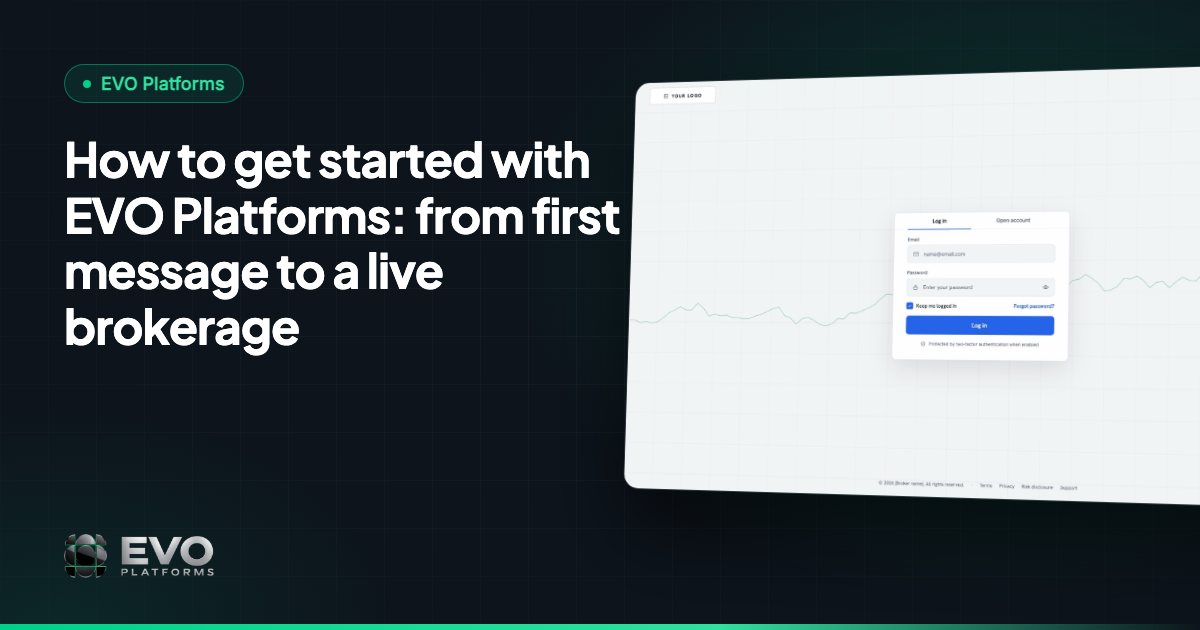
The journey starts on your branded login and sign-up pages. New clients register there, and every sign-up from your website lands in EVO-CRM automatically with its source, so your sales desk can follow up right away.
Once logged in, the client area gives each trader everything about their account in one place:
- Profile and security settings
- KYC verification: clients upload their documents and see their verification status
- Deposit and withdraw
- Full transaction history
The watchlist and live charts
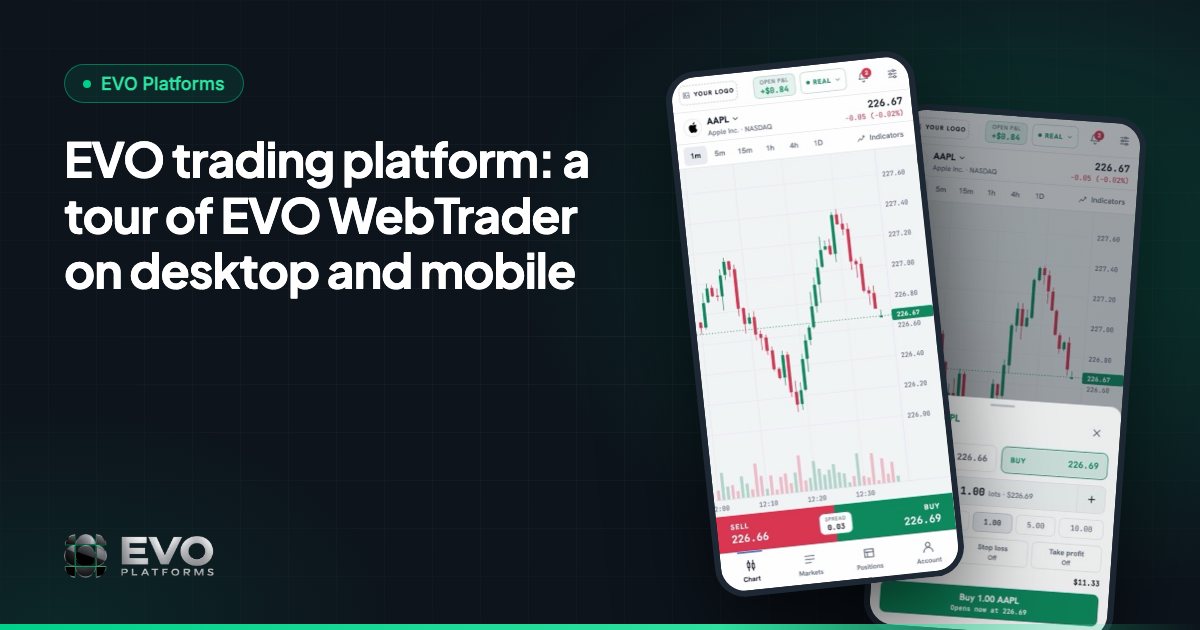
The main trading screen puts everything a trader needs in view. On one side is the watchlist, organised into tabs: Forex, Metals, Indices, Crypto, Commodities and Stocks. Prices update live from the EVO price feed, which streams quotes in real time with no delays.
In the centre are professional charts with a TradingView-style toolbar, indicators and timeframes. Traders can switch symbols from the watchlist and the chart follows instantly.
Crypto prices stream around the clock, weekends included, so clients who trade digital currencies always see live quotes. Read more in why your own price feed matters.
Placing an order: Buy, Sell, TP and SL
The order box is deliberately simple, so a new trader understands it in seconds and an experienced trader can act fast.
- 1Choose Buy or Sell.
- 2Set the volume.
- 3Open now at the market price, or open at a set price as a pending order.
- 4Add Take Profit and Stop Loss if you want them.
- 5Confirm the order.
The required margin is shown before the order is placed, so the trader knows exactly what the position will use from their account.
Positions, pending orders, history and account bar
Below the chart, three tables keep track of everything the trader has done: open positions, pending orders and history. From open positions, a trader can add or change TP and SL, or close a position.
A live bar shows the account at a glance: balance, equity, margin, free margin and P&L. It updates as prices move, so traders always know where they stand.
Margin call and stop-out are handled automatically at the levels the broker sets in the back office. That protects both the client and the brokerage without anyone needing to watch every account by hand.
Deposits and withdrawals
Clients fund their accounts their way. EVO supports any payment method — USDT and other crypto, cards, bank transfer or local payment methods — and any method you need can be connected.
On the client side, it is a simple deposit screen: choose an amount, pick a method and submit. On your side, every deposit and withdrawal arrives in EVO-CRM with an approval flow, so your finance team signs off on each transaction before the account is funded or paid out.
Notifications and alerts
EVO WebTrader keeps traders informed with notifications and alerts for orders and account events, for example:
- Order opened or pending order filled
- Take profit reached or stop loss hit
- Order rejected, for example when free margin is not enough
- Deposit received
- Margin call warnings
Clear alerts mean fewer support tickets: the trader sees what happened and why, in their own language.
EVO trading on mobile
Many traders search for an EVO trading app. EVO WebTrader is built to work fully in the mobile browser: chart, markets, order box, positions and account are all one tap away in a bottom menu. Deposits, KYC and the client area work on mobile too.
Your clients get a mobile trading experience in your brand from day one, without waiting for app store approvals.
What this means for your brokerage
For a broker, the trading platform is the product your clients touch every day. EVO WebTrader gives you a modern, simple, professional platform without building one, and it is connected to everything behind it:
- EVO-CRM for leads, sales and retention desks
- The back office for symbols, spreads, leverage per client, limits and account controls
- The built-in price feed with 250+ symbols and any symbol on request
- 24/7 support and monitoring on Telegram
You can be live in less than 24 hours, and EVO plans start from $2,500 per month, with no setup fee and no revenue share. See pricing, read how to start with EVO Platforms, or contact us for a demo.
Frequently asked questions
What is the EVO trading platform?
The EVO trading platform, also called EVO WebTrader or EVO-TRADING, is the white-label trading platform from EVO Platforms. Clients trade Forex, metals, indices, crypto, commodities and stocks in the browser on desktop and mobile, in the broker's own brand.
Is there an EVO trading app?
EVO WebTrader works fully in the mobile browser, with chart, markets, order box, positions and account in a bottom menu. Clients can trade, deposit and complete KYC from their phone without installing anything.
Can clients set Take Profit and Stop Loss?
Yes. The order box supports Buy and Sell, opening at a set price, Take Profit and Stop Loss. TP and SL can also be added or changed later from open positions.
Does EVO WebTrader support Arabic?
Yes. EVO WebTrader is available in English, Arabic with a full right-to-left layout, and German, with dark and light themes.
How much does the EVO trading platform cost?
EVO plans start from $2,500 per month and include the trading platform, CRM, back office, price feed and support, with no setup fee and no revenue share. See the pricing page or contact EVO for the right plan.
This article is for general information only and is not legal, tax or financial advice.
Ready to launch your brokerage?
Trading platform, CRM, back office and price feed — white-label and live in less than 24 hours.